
Kanban board: cards, columns and workflow management
Quick summary: the anatomy of a Kanban board
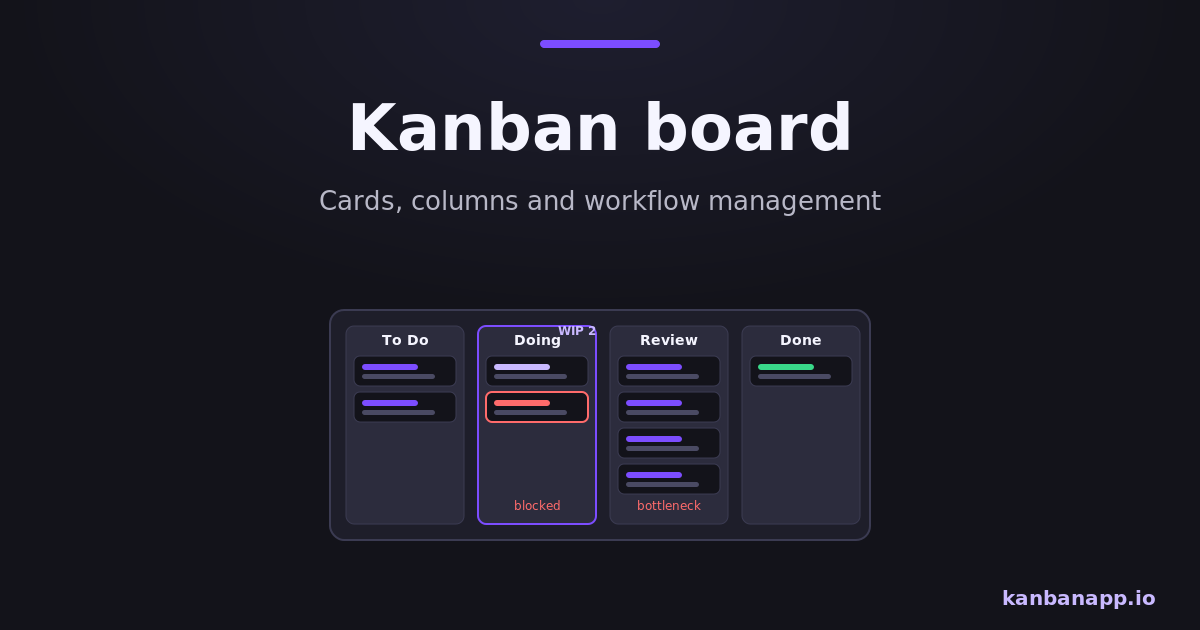
A Kanban board represents your workflow: each task is a card, each stage is a column, and cards move left to right until the work is done.
The board's power is honesty — it shows accumulation, blockers and idle work that status reports hide.
A good board mirrors the real process, stays updated in the moment and is the first place the team looks before starting anything new.
Before diving into reading:
This article is a practical deep dive into the board itself: how to design columns, write good cards, move work and read the signals the board sends.
You can follow along by building your board in KanbanApp — free, offline and without registration.
1) What the board represents
A Kanban board is a model of your workflow. It answers, at a glance: what is waiting, what is in motion, where each item stands and what is finished. When the board is faithful, the team stops asking "what is the status?" — the status is on the wall.
The board is not a to-do list with decoration. A list shows what exists; a board shows how work moves. That difference — flow — is what makes bottlenecks and blockers visible.
2) Cards: one unit of work each
Each card is one deliverable piece of work with a clear completion criterion. Good cards have a short action-oriented title, an owner once started, and whatever context prevents interruptions later: links, checklists, due dates.
Size cards so they move within days, not weeks. Big ambitions become several cards; vague requests become a clarification card first. In KanbanApp, checklists with automatic progress bars help decompose work without cluttering the board.
- Title that starts with a verb: "Review contract draft", not "Contract".
- Completion criterion everyone would judge the same way.
- Checklist for multi-step items; due date only when a real deadline exists.
- One card per outcome — never "miscellaneous".
3) Columns: the stages of your real process
Columns must mirror reality, not aspiration. Watch how work actually travels — including waits and approvals — and name those stages. A development team might use To Do, In Development, In Review, In Testing, Done; a content team might use Idea, Writing, Editing, Scheduled, Published.
Two design rules help: separate active stages from waiting stages (In Review vs Waiting for Review) when waits are long, and keep the total number of columns small enough that every member knows what each one means.
4) Moving work: pull, not push
Cards advance when their current stage is genuinely complete, and new work enters a column only when the column has capacity. This pull discipline — reinforced by WIP limits — is what keeps the board from becoming a parking lot of started tasks.
Update the board at the moment things change. A board updated once a day is a diary; a board updated in real time is an instrument.
5) Making bottlenecks and blockers visible
Read the board like a chart. A column that keeps filling while the next one starves is a bottleneck; a card unmoved for days is blocked, oversized or forgotten; a Done column that only fills on Fridays reveals batching.
Mark blockers explicitly — a tag, a color, a "BLOCKED:" prefix — and record why. The pair "where cards accumulate" and "where cards age" locates almost every process problem a team has.
6) Keeping the board honest
Three habits preserve the board's value. First, everything on the board: work that bypasses the board becomes invisible load. Second, the board before anything new: check what can be finished or unblocked before pulling fresh work. Third, review the design monthly: rename columns that confuse, split stages that hide waits, delete what nobody uses.
Write column policies somewhere visible — what qualifies a card to enter each stage. Explicit rules keep movement consistent across the team.
7) Building your first board
Open KanbanApp, create To Do, In Progress and Done, and add every current task as a card. Drag cards as reality changes, use filters when the board grows, and export the board to JSON whenever you want a backup — everything stays local to your browser, as explained in the Offline Kanban article.
Resist adding columns until the flow demands them. The best first board is embarrassingly simple and completely true.
8) Conclusion
A Kanban board is workflow management at its most direct: one card per task, one column per real stage, movement that reflects the truth and signals you can act on.
Build it simple, keep it honest and let accumulation and age tell you what to improve next.